Automate your eSignature busywork in ChatGPT.
Install Inkly's official ChatGPT plugin and hand off your whole eSignature workflow. ChatGPT sends contracts from your templates, tracks every signature, reminds anyone who hasn't signed, and gets you the signed PDF, without leaving the chat.
- Official ChatGPT plugin
- Send, track, and get signed PDFs
- ChatGPT & Codex
ChatGPT
Connected to Inkly
Send the NDA to Sarah Chen, sarah@brightpath.co
Inkly · Found template: Mutual NDA
Inkly · Sent to Sarah Chen
Done. The NDA is in Sarah’s inbox.
- 3 days later
Has Sarah signed yet?
Inkly · Checked the NDA
Not yet, but Inkly is reminding her automatically. You’ll get an email when she signs.
- Next morning
Email from Inkly · 9:12 AM
Sarah Chen signed the NDA
Your whole signing workflow, handled within ChatGPT.
Send contracts by asking.
Say what to send and who signs. ChatGPT finds the right template, fills in the details, and sends it.
- Picks the right template from your library
- Fills in names, emails, and prefilled fields
- Or makes a draft you check and send yourself
Know where every document stands.
Ask what's still out, and ChatGPT checks Inkly for who has signed, who hasn't, and when each one was sent.
- Searches every document in your workspace
- Shows who has signed and who hasn't
- Sends a reminder when you ask
Sign your part without digging through email.
When it's your turn, ask ChatGPT for your signing link. Open it and sign in your browser.
- Your own signing link, right in the chat
- Ready as soon as it's your turn
- ChatGPT never signs for you or anyone else
Get any signed PDF in seconds.
Ask for a completed document by name, company, or signer, and ChatGPT gives you a download link.
- Finds it across your whole workspace
- The final PDF with every signature
- A fresh link whenever you ask
Turn any PDF into a signable document.
Give Codex a PDF and who signs it. It uploads the file and builds a draft with your signers, ready to check and send.
- Contracts, forms, and agreements you already have
- Adds the signers you name
- Places fields wherever your PDF has markers
In ChatGPT, upload the PDF in Inkly or save it as a template, then ask ChatGPT to send it.
You decide how much ChatGPT does on its own.
- Read
- ChatGPT finds and checks your documents. “Has Maya signed yet?”
- Prepare
- ChatGPT also makes drafts you send from Inkly. “Draft the offer letter for Alex.”
- Full access
- ChatGPT sends, reminds, and voids on its own. “Send it and remind Leo.”
ChatGPT can never sign for anyone. Inkly emails you when an app connects, and you can change its access or disconnect it any time in Settings.
Install Inkly's official ChatGPT plugin in a minute.
No API key and no code. Install it once and it works in every chat.
- 1
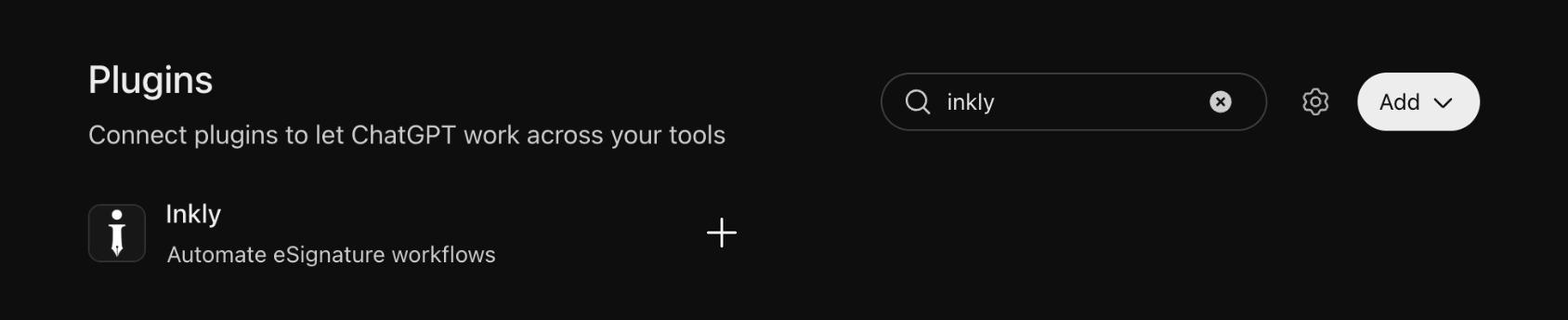
In ChatGPT, open Plugins and search for Inkly
Or go straight to Inkly's plugin page with the button below.
- 2
Open Inkly and click Install plugin
Or click one of its example prompts to install it and ask in one go.
- 3
Choose a workspace and what ChatGPT can do
Click Allow, and Inkly is connected. Now ask ChatGPT for anything in your own words.
Using Codex?
Run this in a terminal. Codex opens your browser so you can approve the connection in Inkly.
Read the full setup guideUse Claude insteadUse another AI app
codex mcp add inkly --url https://www.inkly.so/mcpQuestions about ChatGPT and Inkly.
What it can do, what it costs, and how to stay in control.
Read the setup guide →Send your first document
from ChatGPT.
Create a free account, add Inkly to ChatGPT, and ask it to send your first document.